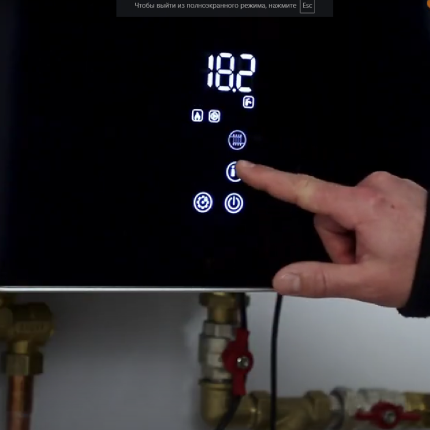
Resetting the Wi-Fi module
Resetting the Wi-Fi Module to Factory Settings
-
Accessing Service Parameters
- Press and hold the “Gear” icon for 3 seconds to unlock the control screen.
- Turn off heating and hot water by pressing the “Radiator” and “Tap” icons, respectively.
- Press and hold the “Gear” button for 6 seconds until the service parameters menu appears.
- Navigate to parameter P11.
-
Resetting the Wi-Fi Module
- Select parameter P11 by pressing the power button. The value 0 should start blinking.
- Choose the value 1 and confirm by pressing the power button.
-
Verification
- 20-30 seconds after the reset, check the Wi-Fi networks on your smartphone.
- You should see the network “Tasmota_(number)” among the available networks.
- Great! The Wi-Fi module settings have been reset.
Instructions that will be useful to you
Previous
The next